Your old phone. Your private home camera.
Local storage. Accountless by design. No recurring subscription.
Farscope turns an old Android phone into a private home camera. Recordings stay on the camera phone. Use it locally for free, try remote viewing, and unlock permanent remote access with a one-time Owner Pass.
Remote trial: 75 remote minutes to use within 30 days, starting with your first confirmed remote session. Owner Pass: €24.99 launch price.

Alfred Camera raised its US price 20%, from $29.99 to $35.99 a year.
Alfred also introduced a Legacy Status lock-in: cancel or miss a payment, and your old rate is gone for good. Any future resubscription follows 2026's higher pricing. Farscope works differently. Pay once, own it, no renewal, ever.
Setup in minutes. No account required.
You need two phones: one becomes the camera and one becomes the viewer. An old drawer phone works perfectly.
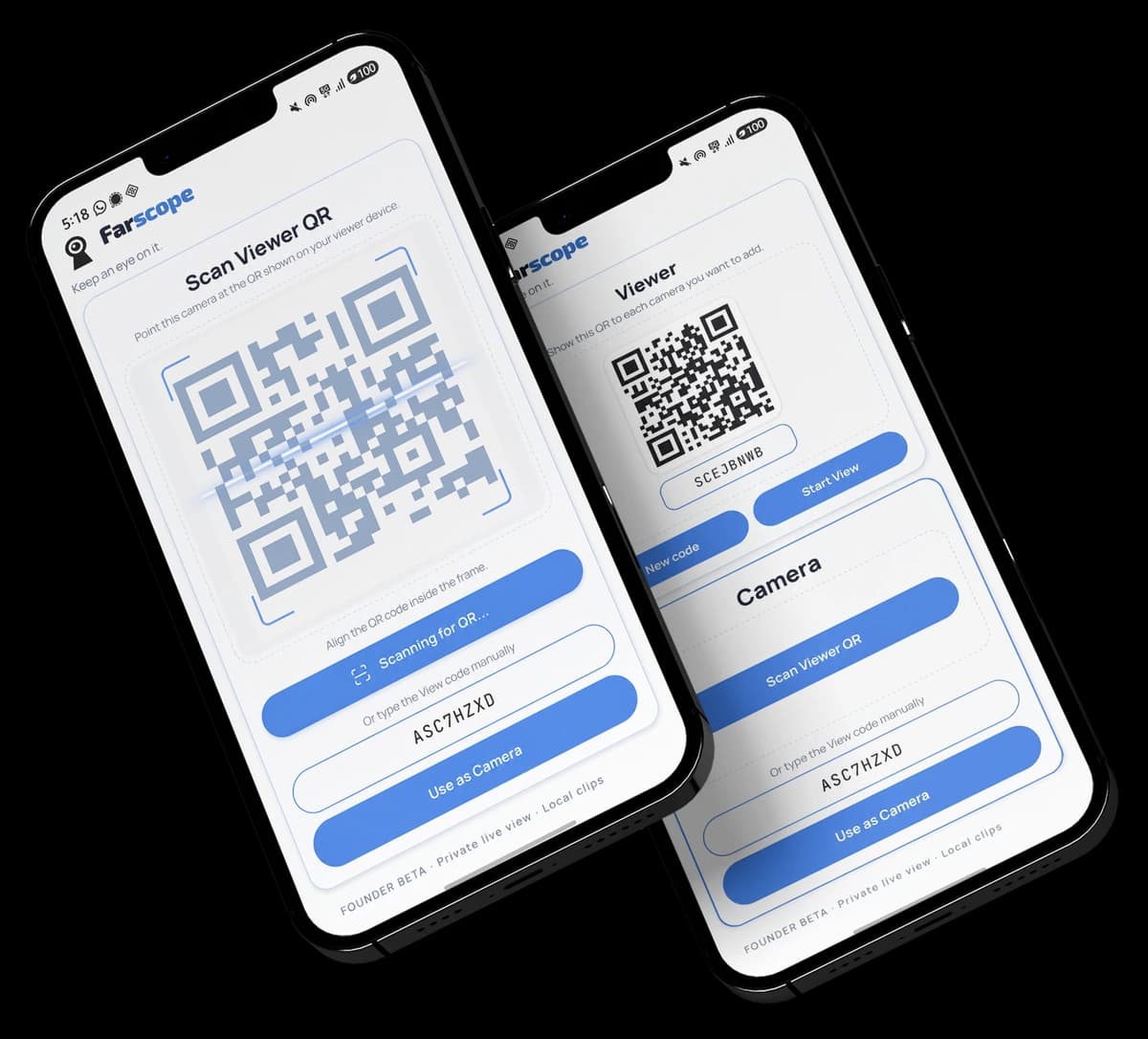
Install on two phones
Download Farscope on the phone you want to use as a camera and on your everyday phone. Android at launch, with an iPhone version planned for the future. We’ll announce it when it’s ready.
Pair with a QR code
Open Farscope on your viewer phone to show a QR code, then scan it with the camera phone. Accountless by design: no Farscope account, Google sign-in, Apple sign-in, or email login is required.
Watch live. Recordings stay local.
Your camera phone streams to your viewer. Motion and sound clips use local storage on the camera phone itself. Farscope does not use cloud video storage, helping keep your recordings private and under your control.
Local is free. Remote starts with a real trial.
Use up to 5 camera phones locally for free. Your first confirmed remote live session starts a Group-wide trial with 75 cumulative remote minutes to use within 30 days. Local viewing never consumes those minutes. After the trial ends, local use keeps working and Owner Pass unlocks permanent remote access.
Local storage first. Your recordings stay on the camera phone.
Farscope stores recordings locally on the camera phone instead of uploading them to Farscope cloud video storage. Live viewing connects your devices directly whenever the networks allow it. When they do not, an encrypted relay can help carry the live connection without becoming video storage.
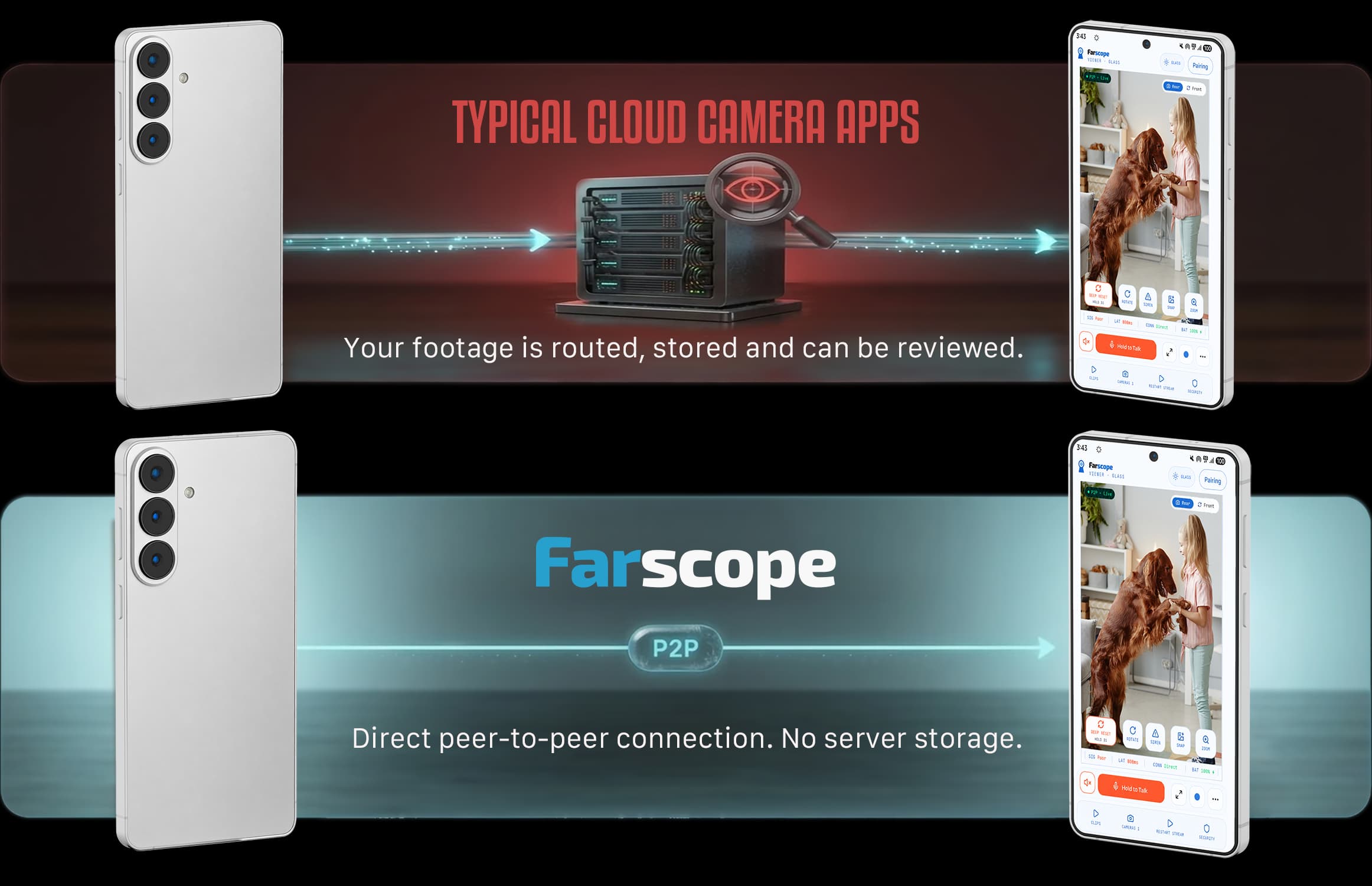
Subscription pricing versus pay-once remote access.
AlfredCamera reports more than 70 million downloads across all platforms. Its current Premium plans use recurring subscriptions, while Farscope keeps local use free and uses a one-time Owner Pass for permanent remote access.
Comparison reviewed September 2026. Alfred's pricing and policies may change.
- ✕Tracks your location and links it to your identity
- ✕Your video routes through their cloud servers
- ✕Removed free playback in 2024 without warning
- ✕Raised prices in 2026, locked legacy users in
- ✕$29.99–$35.99/year minimum, billed forever
- ✕Aggressive ads on the free tier
- ✓Accountless by design: no Farscope account required.
- ✓Local storage on your camera phone.
- ✓Local use stays free; remote has a clear trial boundary.
- ✓One-time Owner Pass for permanent remote access.
- ✓€24.99 launch price. The planned regular euro price after launch is €34.99.
- ✓No ads. No recurring subscription.
| Feature | Free | Owner Pass (€24.99 launch price) |
|---|---|---|
| Local live viewing | Included | Included |
| Camera phones for local use | Up to 5 | Up to 5 |
| Remote viewing | 75 min / 30-day trial | Permanent access |
| Local viewing consumes trial | Never | Not applicable |
| Recordings stored on camera phone | ✓ | ✓ |
| Motion & sound clips | ✓ | ✓ |
| Account required | No | No |
| Ads | None | None |
| Recurring subscription | None | None |
Local is free. Remote is pay-once.
Use Farscope locally without a timer or subscription. Your first confirmed remote session starts a 75-minute remote trial within a 30-day window. When that trial ends, local use keeps working; Owner Pass permanently unlocks remote access for your Farscope Group.
- ✓Up to 5 camera phones for proven local use
- ✓Local live view without consuming remote minutes
- ✓Motion and sound clip detection
- ✓Local storage on the camera phone
- ✓75 cumulative remote minutes within 30 days
- ✓Trial starts on first confirmed remote live use
- ✓No account and no ads
- ✓Everything in Free
- ✓Permanent remote viewing for the Farscope Group
- ✓Up to 5 camera phones
- ✓Local storage stays local
- ✓Owner Pass belongs to the Farscope Group, not a particular phone
- ✓No ads and no recurring subscription
- ✓Support independent privacy-first engineering
Owner Pass launches at €24.99. The planned regular euro price after launch is €34.99; other supported markets use their local Google Play price. One payment, no recurring subscription.
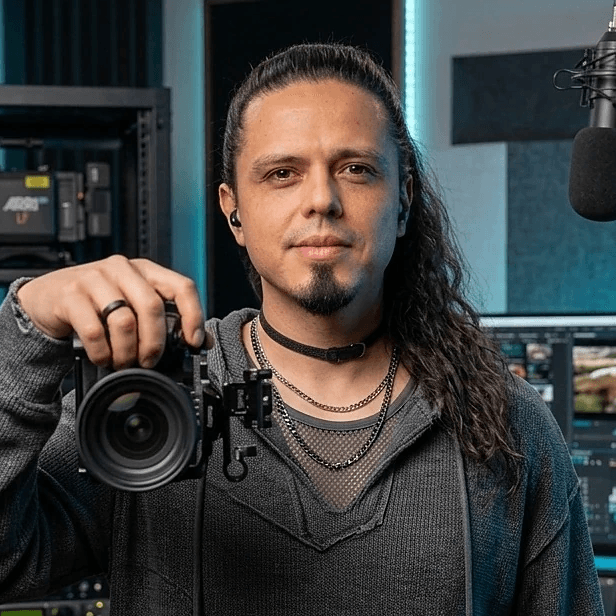
I'm a single dad. I used an app to keep an eye on my kids while I went to the market, to see them come back home from school, to watch them play outside while I finished work during home office days.
It did the job. Then came the ads. Then came a subscription I didn't really agree to, just to see my own living room and patio?
I don't want that footage on someone else's server. Not my kids. Not my partner. Not my home.
I already have Netflix, my phone plan, Adobe, the gym. I built this so I wouldn't add another one.
Recordings stay on your phones. Local use stays free. If you want permanent remote access, you pay once, not every month.
Got questions? We have clear answers.
Where are my recordings stored?+
Does remote viewing ever use a server?+
What's the difference between Free and Owner Pass?+
Is Owner Pass really a one-time payment?+
What phones does Farscope work on?+
Do I need to create an account?+
Secure Your Early Access Spot
Android beta is in final testing. First invites are coming soon.